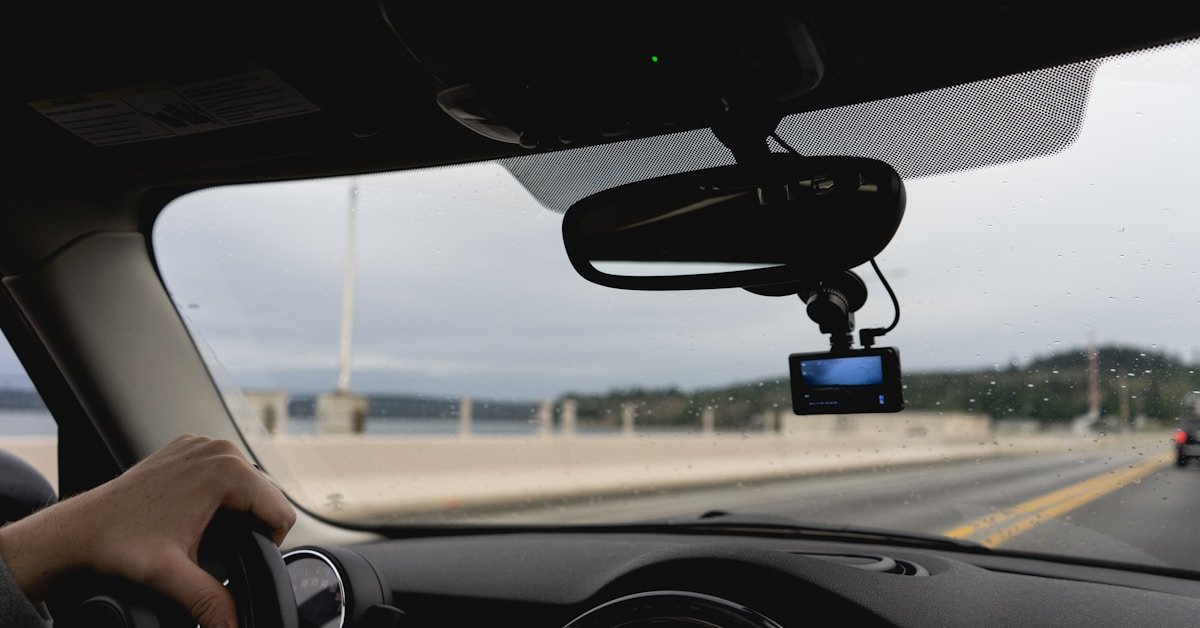
The dash cam market has changed a lot in the last two years. You no longer need to spend $200+ to get a camera with a real Sony sensor, solid night vision, and reliable loop recording. In 2026, there are genuinely good dash cams available for under $100 — and a few impressive ones for under $60.
That said, the budget category is also full of garbage. Cameras with misleading specs, poor firmware, and sensors that fall apart in summer heat. The key is knowing which models are legitimately good and which are marketing hype dressed up in a plastic housing.
We’ve done that work for you. Here are the five best dash cams under $100 in 2026, covering every need from absolute bare-bones recording to budget-friendly GPS tracking.
👉 Need a bigger budget? See our full Best Dash Cams 2026 roundup — covering the top picks from $100 to $400+.
Top 5 Budget Dash Cams: Quick Comparison
| Dash Cam | Best For | Resolution | Key Feature | Price Range |
|---|---|---|---|---|
| Viofo A119 Mini 2 | Best Overall Under $100 | 2K front | Sony STARVIS 2, supercapacitor, 5GHz Wi-Fi | $80–$95 |
| 70mai M200 | Best Under $50 | 1080p front | Sony STARVIS 2 sensor at rock-bottom price | $40–$55 |
| Vantrue E1 Lite | Best with GPS | 1080p front | Built-in GPS, detachable mount, 160° lens | $60–$80 |
| Garmin Dash Cam Mini 3 | Most Discreet / Best Brand | 1080p front | Tiny size, built-in polarizer, trusted brand | $80–$100 |
| 70mai A400 | Best Dual-Channel Under $100 | 1440p front + 1080p rear | Front and rear coverage at a budget price | $80–$100 |
What to Expect from a Dash Cam Under $100
Let’s be upfront: you’re making trade-offs at this price point. Most budget dash cams are front-only. You won’t get 4K recording. Cloud connectivity and dual-band Wi-Fi are rare. But here’s what you can get if you pick the right model:
A real Sony sensor. The 70mai M200 and Viofo A119 Mini 2 both use Sony STARVIS 2 sensors — the same sensor family powering cameras costing two or three times as much. This is the single biggest differentiator between a good budget dash cam and a bad one. Avoid any camera that doesn’t disclose its sensor or uses vague marketing terms like “HD sensor” without specifics.
HDR processing. All five cameras on this list support HDR. At this price, HDR is what prevents your footage from being a washed-out mess when driving toward bright sunlight or out of a dark tunnel.
Reliable loop recording. Every camera here handles the basics: continuous recording, automatic file overwriting when the card is full, and G-sensor emergency locking. These are non-negotiable features and all five deliver.
Where you’ll feel the budget: Night vision won’t match a $250 camera. Build quality is functional but not premium. App experiences are hit or miss. And you’ll almost certainly be front-only unless you step up to the 70mai A400.
With those expectations set — here are the five best options.
Best Dash Cams Under $100: Detailed Reviews
1. Viofo A119 Mini 2 — Best Overall Under $100
Resolution: 2K (1440p) front | Sensor: Sony STARVIS 2 IMX675 | Price: ~$80–$95
The Viofo A119 Mini 2 is the best dash cam you can buy under $100, full stop. It uses a Sony STARVIS 2 IMX675 sensor with DOL-HDR processing — the same technology found in cameras costing significantly more — which gives it night vision that genuinely outperforms everything else at this price. In real-world use, it captures clear footage in low-light conditions that leave cheaper cameras producing blurry, noisy video.
Beyond the sensor, the A119 Mini 2 gets a lot right. It runs on a supercapacitor instead of a battery, meaning it handles extreme heat without the risk of swelling or degradation — a common failure point in cheaper dash cams left in hot cars. It includes voice control, 5GHz Wi-Fi for fast clip transfers, GPS, and buffered parking mode. The compact design sits discreetly behind your rearview mirror.
The only meaningful trade-off versus pricier cameras is resolution — 2K versus 4K — and the lack of a rear channel. But for the price, it’s exceptional.
Pros:
- Best-in-class night vision under $100 (Sony STARVIS 2 + DOL-HDR)
- Supercapacitor — handles hot cars without battery issues
- 5GHz Wi-Fi for fast file transfers
- GPS included
- Voice control
- Compact, discreet design
Cons:
- Front-only — no rear camera option
- No SD card included
- Small screen is hard to read
Best for: Drivers who want the best possible video quality under $100 and don’t need rear coverage.
2. 70mai M200 — Best Dash Cam Under $50
Resolution: 1080p front | Sensor: Sony STARVIS 2 IMX662 | Price: ~$40–$55
If your budget is tight, the 70mai M200 is remarkable. For around $40–$55 (less with an included SD card bundle), you get a Sony STARVIS 2 IMX662 sensor — not some no-name generic chip — with HDR, Wi-Fi, voice control, G-sensor, parking monitor, and loop recording. At this price, that combination is genuinely hard to believe.
The trade-off versus the A119 Mini 2 is primarily resolution (1080p vs. 2K) and the slightly older IMX662 sensor versus the newer IMX675. In bright daylight, the difference is noticeable. At night, the STARVIS 2 sensor still gives the M200 a meaningful edge over competitors at the same price. The 70mai app works well, and the Wi-Fi connection is reliable for transferring clips to your phone.
The M200 doesn’t have GPS built in, which is a limitation if speed and location data matter to you. But for pure incident recording on a tight budget, nothing else at this price competes.
Pros:
- Sony STARVIS 2 sensor for under $50
- HDR night vision
- Wi-Fi and voice control
- Bundles available with SD card included
- Compact, unobtrusive design
Cons:
- 1080p only — lower resolution than pricier picks
- No GPS
- Front-only
Best for: Budget-first buyers who want a real Sony sensor without spending more than $50.
3. Vantrue E1 Lite — Best Budget Dash Cam with GPS
Resolution: 1080p front | Sensor: Sony Starvis | Price: ~$60–$80
The Vantrue E1 Lite is the best option under $100 if GPS is a must-have. It records your speed, location, and route in every clip — data that can be critical when dealing with insurance claims or legal proceedings after an accident. The GPS data syncs automatically via the Vantrue app, and you can view your route overlaid on the footage.
Beyond GPS, the E1 Lite offers a 160° ultra-wide lens that captures more of your surroundings than the typical 140° found on budget cameras. The detachable mount is a genuinely useful design feature — it means you can remove the camera quickly and cleanly without leaving a permanent fixture on your windshield.
Night vision is solid at this price point. The F1.8 aperture combined with HDR handles typical night driving well, though it doesn’t match the STARVIS 2-powered competition in very dark conditions. The app is one of the better budget dash cam experiences and supports multiple languages.
Pros:
- Built-in GPS with speed and route logging
- 160° ultra-wide lens
- Detachable mount — easy to remove
- Good app with free access (no subscription)
- Voice control
- Supports up to 512GB storage
Cons:
- 1080p resolution
- Night vision not as strong as STARVIS 2 competitors
- Front-only
Best for: Drivers who want GPS speed and location data in their footage without spending $150+.
4. Garmin Dash Cam Mini 3 — Most Discreet, Best Brand Name
Resolution: 1080p front | Sensor: Garmin Clarity HDR | Price: ~$80–$100
The Garmin Dash Cam Mini 3 is the most polished, most discreet dash cam on this list. It’s key-sized — genuinely tiny — and sits so close to the windshield that most people won’t notice it’s there. If you care about aesthetics and want a camera that’s nearly invisible, nothing at this price comes close.
The built-in Garmin Clarity polarizer is a feature you won’t find on most cameras at this price. It reduces windshield glare and reflections, which visibly improves footage quality in bright conditions — particularly useful in countries with strong sunlight. Garmin Clarity HDR optics round out the image quality.
Voice control works well and supports multiple languages. The Garmin Drive app is well-designed and reliable — a step above the typical budget dash cam app experience. It’s also the safest brand pick if reliability and support matter to you; Garmin stands behind its products with solid customer service.
The trade-off is that the Mini 3 doesn’t have GPS built in (GPS requires a separate Garmin constant power cable), and there’s no rear channel option. For the same price as the A119 Mini 2, you’re paying a premium for the brand name, build quality, and polarizer — not raw video performance.
Pros:
- Ultra-compact and nearly invisible on windshield
- Built-in polarizing lens reduces glare
- Garmin brand reliability and customer support
- Well-designed app
- Voice control
- Incident detection with automatic saving
Cons:
- No built-in GPS (requires separate cable)
- 1080p only
- Front-only
- Smaller sensor than STARVIS 2 competitors
Best for: Drivers who prioritize discretion, build quality, and brand reliability over raw spec-sheet performance.
5. 70mai A400 — Best Dual-Channel Dash Cam Under $100
Resolution: 1440p front + 1080p rear | Sensor: Sony STARVIS | Price: ~$80–$100
If rear coverage matters to you and $100 is your ceiling, the 70mai A400 is the only dual-channel dash cam worth considering in this price range. It captures 1440p footage from the front camera and 1080p from the rear, covering both angles that matter most in accidents — front collisions and rear-end impacts.
The A400 includes a GPS module, HDR on both channels, Wi-Fi for app connectivity, and a G-sensor for impact detection. The rear camera connects via a long cable that can be routed along the headliner for a clean install. Parking mode is available with a hardwire kit (sold separately).
Compared to the single-channel options on this list, the A400 makes compromises on night vision quality to hit the price point. Its performance in low light is competent but not exceptional. But for drivers who’ve experienced a rear-end collision or park in high-traffic areas, having rear coverage is worth that trade-off.
Pros:
- Front AND rear coverage under $100
- 1440p front + 1080p rear
- GPS included
- HDR on both channels
- Wi-Fi app connectivity
Cons:
- Night vision not as strong as single-channel competitors
- Long rear cable installation can be fiddly
- Parking mode requires separate hardwire kit
Best for: Drivers who want front and rear coverage and won’t go above $100.
How We Chose These Dash Cams
We evaluated budget dash cams across three criteria: sensor quality (is it a real Sony or a mystery chip?), real-world video quality based on sample footage and independent reviews, and value for money at the stated price point. We cross-referenced findings from DashCamTalk forums, Vortex Radar, and verified buyer reviews on Amazon. Models with consistent complaints about overheating, firmware crashes, or misleading resolution claims were excluded.
Frequently Asked Questions
Is a $50 dash cam actually good enough?
It depends what you mean by “good enough.” The 70mai M200 at ~$50 uses a real Sony STARVIS 2 sensor and will capture usable, clear footage in typical daytime conditions. It won’t match a $250 camera in low light or at night, but it will record an incident clearly enough to matter in an insurance claim. For basic protection, yes — it’s good enough.
Do budget dash cams work in extreme heat?
This is where many cheap dash cams fail. Lithium batteries can swell or degrade when left in a hot car in summer. The Viofo A119 Mini 2 uses a supercapacitor, which handles heat much better and is why we rate it so highly for daily reliability. If you live somewhere with hot summers, prioritize models with supercapacitors.
Do I need GPS in a dash cam?
GPS isn’t essential for most drivers, but it’s useful. GPS stamps your footage with speed and location data, which can strengthen an insurance claim or legal case. If you drive for work, or if speeding disputes are a concern, GPS is worth having. The Vantrue E1 Lite and 70mai A400 both include GPS in the under-$100 price range.
What SD card should I use with a budget dash cam?
Use a card rated for continuous recording — look for “High Endurance” cards from Samsung, SanDisk, or Lexar. Standard SD cards wear out quickly under the constant read/write cycles of a dash cam. For 1080p recording, a 64GB card gives you several hours of footage before loop recording kicks in. For 1440p, go with 128GB.
Will a budget dash cam drain my car battery?
Only if you use parking mode with a hardwire kit and leave the car parked for extended periods. During normal driving, the dash cam draws power from your cigarette lighter port and stops when you turn the car off. All five cameras on this list have low-power parking modes, but you’ll need a hardwire kit with a voltage cutoff for safe overnight monitoring.
Can I use a budget dash cam for rideshare driving?
A front-only camera is better than nothing, but for rideshare we’d recommend a dual-channel or 3-channel system so you also have interior coverage. None of the cameras on this list provide interior recording — for rideshare, consider stepping up to the Viofo A329S 3-channel from our Best Dash Cams 2026 guide.
The Bottom Line
For most drivers, the Viofo A119 Mini 2 is the best under-$100 dash cam you can buy — its Sony STARVIS 2 sensor and supercapacitor design give it a performance edge that nothing else at this price can match. If you’re on a tighter budget, the 70mai M200 delivers surprising quality for around $45. Need GPS? Go with the Vantrue E1 Lite. Want rear coverage? The 70mai A400 is the only dual-channel option worth considering under $100.
Whatever you choose, getting any of these cameras installed is far better than driving without one. The peace of mind alone is worth the investment.
🔎 Curious how two of the top 4K cameras compare? Read our Viofo A329S vs BlackVue Elite 9 head-to-head for when you’re ready to upgrade.
RoadGearLab earns commissions through affiliate links at no extra cost to you. Our recommendations are based on independent research. Read our Affiliate Disclosure for details.
Related Guides
Want to dive deeper? These guides cover specific topics in more detail:
- Vantrue E1 Lite Review — our hands-on review of a top sub-$100 pick with GPS and Wi-Fi
- How to Install a Dash Cam — step-by-step installation guide for any budget
- Does a Dash Cam Drain Your Car Battery? — what to know about parking mode and power
- Best 4K Dash Cam 2026 — ready to upgrade? See our premium picks