Affiliate disclosure: RoadGearLab is reader-supported. When you buy through links on our site, we may earn an affiliate commission at no extra cost to you. As an Amazon Associate we earn from qualifying purchases. This never affects which products we recommend.
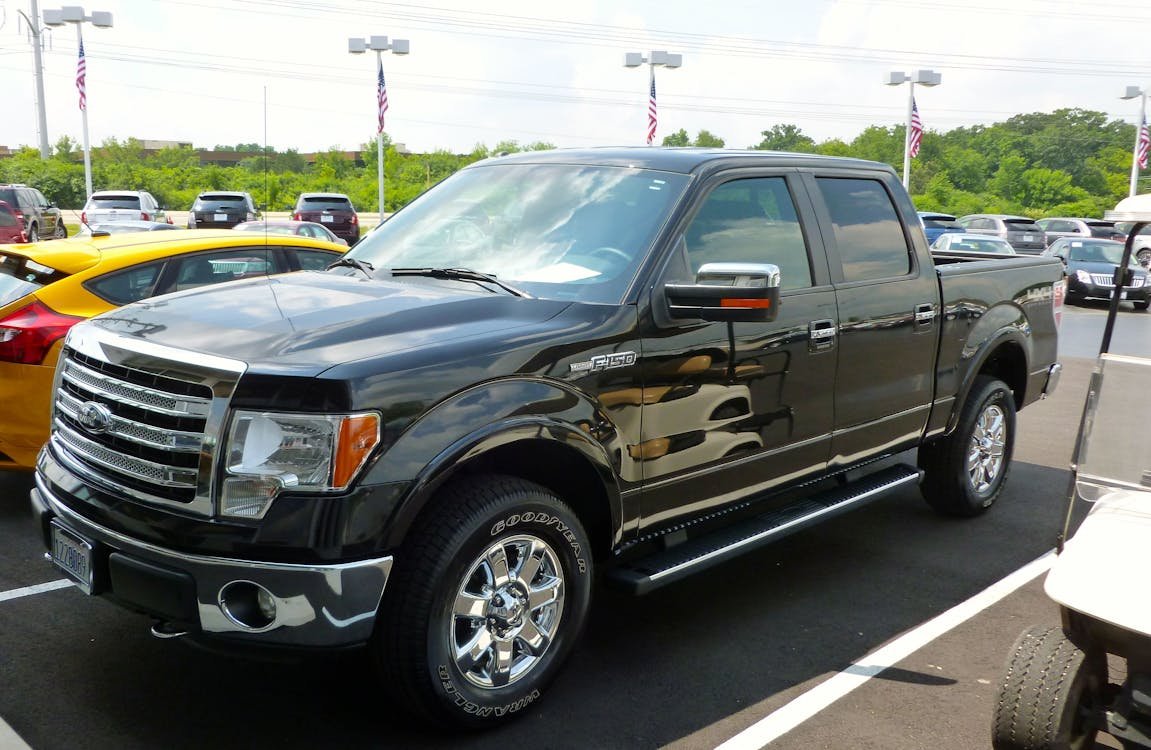
The Ford F-150 has been America’s best-selling vehicle for over 40 consecutive years. Whether you use it for daily commuting, job sites, or towing a trailer on weekends, your F-150 deserves protection. A dash cam gives you irrefutable evidence in accidents, protects your truck in parking lots, and can even lower your insurance premiums.
The good news for F-150 owners: the large windshield makes mounting a dash cam easy, and there’s plenty of room behind the rearview mirror for even larger units. If you tow frequently, a front-and-rear dash cam setup also gives you a rear view of your trailer connection — a useful bonus.
Here are the best dash cams for the Ford F-150 in 2026.
| Rank | Product | Best For | Price | Buy |
|---|---|---|---|---|
| #1 | Garmin Dash Cam 67W | Best Overall | ~$199 | Buy → |
| #2 | BlackVue Elite 9 | Best Premium | ~$500 | Buy → |
| #3 | Viofo A229 Pro | Best Value | ~$280 | Buy → VIOFO store → |
| #4 | REDTIGER F7N | Best Budget | ~$99 | Buy → |
| #5 | Thinkware Q200 | Best Parking Mode | ~$120 | Buy → |
#1 Garmin Dash Cam 67W — Best Overall

Garmin’s 67W is the easiest dash cam to live with day-to-day. The 180-degree wide-angle lens captures lane-wide footage and voice commands let you save clips, take photos, and trigger recording without touching the device. Garmin’s cloud-based Vault service automatically backs up footage when you’re on Wi-Fi.
- ✅ Wide 180° field of view
- ✅ Voice control hands-free
- ✅ Garmin’s automatic incident detection
- ✅ Very compact and discreet
- ❌ Rear camera sold separately
- ❌ No touchscreen
Price: ~$199
Check Price on Amazon →#2 BlackVue Elite 9 — Best Premium

The BlackVue Elite 9 is the premium choice for drivers who want the very best. Its BlackVue Cloud integration lets you check live footage from your phone no matter where the car is parked — ideal for protecting a vehicle parked overnight. The ultra-slim form factor makes it nearly invisible behind the rearview mirror.
- ✅ 4K front + 2K rear
- ✅ BlackVue Cloud live remote viewing
- ✅ Discreet slim design
- ✅ Excellent parking mode
- ❌ Premium price
- ❌ Cloud features need subscription
Price: ~$500
Check Price on Amazon →#3 Viofo A229 Pro — Best Value

The Viofo A229 Pro is our top overall pick for most vehicles. Powered by dual Sony STARVIS 2 sensors, it shoots crisp 4K footage at the front and detailed 2K at the rear. The super capacitor design makes it safe for hot summer days when lithium batteries in cheaper cams can swell or fail. Built-in GPS timestamps your footage with speed and location data — critical if you ever need to file an insurance claim.
- ✅ 4K+2K front and rear recording
- ✅ Dual Sony STARVIS 2 sensors
- ✅ Built-in WiFi & GPS
- ✅ Super capacitor (safe in heat)
- ✅ Excellent night vision
- ❌ Mobile app can be finicky
- ❌ No cloud connectivity
Price: ~$280
Check Price on Amazon → Check price at VIOFO →#4 REDTIGER F7N — Best Budget

The REDTIGER F7N proves you don’t need to spend a lot for solid front and rear coverage. At under $100 you get 4K front video and 1080P rear — more than enough resolution to read license plates and capture accident details. The compact design sits discreetly behind your rearview mirror.
- ✅ Front + rear under $100
- ✅ 4K front / 1080P rear
- ✅ 64GB card included
- ✅ Easy clip-mount installation
- ❌ 3.18-inch screen adds bulk
- ❌ Smaller sensor than premium picks
Price: ~$99
Check Price on Amazon →#5 Thinkware Q200 — Best Parking Mode

The Thinkware Q200 shines for drivers who park in public lots, garages, or on street overnight. Its time-lapse parking mode records all day without filling your card, while the motion detection mode triggers full-quality recording if anything approaches your vehicle. It’s one of the most reliable parking-mode performers available.
- ✅ Time-lapse & motion parking modes
- ✅ Energy-saving parking mode
- ✅ Reliable long-term operation
- ✅ Intelligent parking alerts
- ❌ Hardwiring needed for best parking mode
- ❌ Interface is dated
Price: ~$120
Check Price on Amazon →Buying Guide: Dash Cam Tips for Ford F-150 Owners
Large Windshield = Easy Mounting
The F-150’s large, nearly vertical windshield gives you excellent placement options. The area behind the rearview mirror is wide enough for even larger dual-channel units. If you run a windshield sun shade, make sure your dash cam’s power cable is routed cleanly along the headliner so it doesn’t get caught.
Consider a Rear Camera for Towing
If you tow a trailer regularly, a rear-facing dash cam gives you extra visibility and documentation. Some F-150 owners route the rear camera cable through the cab to capture footage directly behind the hitch area.
Parking Mode for Job Sites
If your F-150 spends time on job sites or in busy parking areas, parking mode is a must. It records motion or impacts while the truck is off, protecting you from door dings, hit-and-runs, and vandalism.
Power Cable Routing
The F-150 has a long cab-to-windshield distance. Plan your cable route before installing — most owners run the power cable along the A-pillar trim and down to the fuse box for a clean hardwired install.
Frequently Asked Questions
Where is the best place to mount a dash cam in an F-150?
Behind the rearview mirror is the standard spot. The F-150’s wide windshield gives you excellent viewing angles. For a rear camera, route the cable along the headliner toward the rear window.
Will a dash cam drain my F-150’s battery in parking mode?
Parking mode uses power when the truck is off. For standard parking mode use, the draw is minimal and won’t drain a healthy battery. If you leave it in parking mode for multiple days, hardwiring to a circuit with a voltage cutoff (like a hardwiring kit) is recommended.
Does my F-150’s Co-Pilot360 affect dash cam placement?
Yes. Some Co-Pilot360 sensors sit in the front bumper, but the 2021 and newer F-150 also has a forward camera on the windshield near the rearview mirror. Mount the dash cam beside that camera housing, not in front of it, and keep the cable out of its view. The F-150 installation notes further down this page cover the details.
Can I use a dash cam rear camera to monitor my trailer?
A dash cam rear camera can give you a rearward view, but it’s not a dedicated trailer monitoring solution. For active trailer monitoring while driving, a purpose-built wireless trailer camera system is better.
Final Verdict
For most F-150 owners, the Garmin Dash Cam 67W is the ideal fit: wide-angle coverage, easy voice control, and a compact profile that suits the large F-150 windshield perfectly. If you want 4K video and cloud access, step up to the BlackVue Elite 9.
Don’t wait until after an accident to wish you had one. The F-150 is a high-value target for parking lot damage and insurance fraud — protection is worth every penny.
Get the Garmin Dash Cam 67W on Amazon →Installing a Dash Cam in a 2021-Present F-150: Generation-Specific Notes
These notes apply to the current F-150, the generation introduced for the 2021 model year. Owner’s manual references come from Ford’s 2024 F-150 owner’s manual. Earlier trucks have a different fuse layout, so check your own manual if you have one of those. The all-electric F-150 Lightning has no engine, so the Auto-Start-Stop notes below do not apply to it.
The windshield camera sits behind the mirror
Some of the F-150’s Co-Pilot360 hardware sits in the front bumper, but the 2021 and newer truck also has a forward camera on the windshield. I-CAR’s ADAS reference for the 2021 F-150 states that the windshield has a camera near the rearview mirror, alongside radar and ultrasonic sensors in the front bumper cover. The owner’s manual covers the features this hardware supports, including Pre-Collision Assist (with Automatic Emergency Braking and Evasive Steering Assist) and the Lane Keeping System, and has a dedicated “Locating the Sensors” page under Pre-Collision Assist.
So placement does matter on this truck. Mount the dash cam beside the mirror’s camera housing, not in front of it, and keep the lens, suction cup or adhesive pad, and cable out of the camera’s view through the glass. I-CAR also notes that this camera needs a scan-tool calibration after the events listed in Ford’s service manual. Avoid knocking or loosening the housing while you work around it, and don’t use it as a cable anchor.
Interior fuse box and hardwiring
The 2024 owner’s manual has separate sections for the under-hood fuse box and the interior fuse box. Fuse references for the 2021 and newer truck put the interior box on the right-hand side of the passenger footwell, behind a trim panel. That’s a convenient spot for a hardwire kit: run the cable from the mirror along the headliner, down the passenger A-pillar, and into the footwell.
Use an add-a-fuse (fuse tap) matched to the fuse type in that box. The manual has an “Identifying Fuse Types” page to help you buy the right tap. Connect the kit’s ACC wire to a circuit that is only live with the ignition on. For parking mode, connect the BATT wire to a constant circuit. Choose both from the fuse chart for your exact truck rather than from a generic diagram, since assignments vary by engine and options. Avoid airbag and other safety-related circuits, and ground to a bare metal bolt on the body or dash frame.
OBD-II port and 12V outlets
OBD power cables are a popular shortcut, but read Ford’s warning first. The 2024 manual warns against connecting wireless plug-in devices to the data link connector, because unauthorized third parties could gain access to vehicle data and impair safety-related systems, and it says only repair facilities that follow Ford’s procedures should connect equipment there. A wired OBD power cable is not a wireless device, but a fuse tap avoids the question altogether.
The F-150 has a 12V power outlet, and some trucks also have 120V outlets, including a 400W pickup bed outlet covered in the manual. If you power a dash cam from the 12V outlet, check whether the outlet actually shuts off when the truck is off. Don’t assume either way, because an outlet that stays live will run the camera until the battery is drained.
Auto-Start-Stop and parking mode
The F-150 has Auto-Start-Stop, and the 2024 manual covers how to switch it on and off. During an auto stop the engine shuts down but the truck remains on, so a dash cam wired to a switched circuit keeps recording through it. The bigger battery risk is parking mode. Use a hardwire kit with a low-voltage cutoff, set it to one of its higher settings if the truck sits for several days, and remember that job-site accessories and upfits share the same 12V battery.
Routing the rear camera
The manual covers Crew Cab and SuperCab rear seats and also has a section on sliding windows, so first check whether your truck has a sliding rear glass panel. If it does, put the rear camera on a fixed part of the glass, away from the sliding pane and its track, and leave slack so nothing pulls when the window opens. In a Crew Cab or SuperCab, route the cable along the headliner edge above the rear doors to the back glass. In a regular cab, the rear glass is right behind the seat, so the run is short.
Quick reference: 2021-present F-150
| Item | What to know |
|---|---|
| Forward camera | On the windshield near the rearview mirror (I-CAR, 2021 F-150) |
| Camera calibration | Scan-tool calibration after events listed in Ford’s service manual |
| Interior fuse box | Right side of the passenger footwell, behind a trim panel |
| Fuse tap type | Match the fuse type (see “Identifying Fuse Types” in the manual) |
| OBD-II / data link connector | Ford warns against wireless plug-in devices; prefer a fuse tap |
| 12V outlet | Check whether it shuts off with the truck off before relying on it |
| Auto-Start-Stop | Can be switched off; camera keeps recording on a switched circuit |
| Rear window | Sliding windows on some trucks; keep the camera off the sliding pane |
For fuse charts and equipment details, see Ford’s 2024 F-150 owner’s manual, or the manual for your model year.
More Dash Cam Guides by Vehicle
Looking for a different vehicle? See our other guides:
- Best Dash Cam for Toyota Camry
- Best Dash Cam for Toyota RAV4
- Best Dash Cam for Toyota Tacoma
- Best Dash Cam for Honda Civic
- Best Dash Cam for Honda CR-V
- Best Dash Cam for Jeep Wrangler
- Best Dash Cam for Chevy Silverado
- Best Dash Cam for BMW
- Best Dash Cam for Subaru Outback
- Best Dash Cam for Tesla
- Best Dash Cam for Semi Trucks
- Best Dash Cam for Uber/Lyft
- Best Dash Cam for Pickup Trucks
- Best Dash Cam for RVs
Or browse our full Best Dash Cams 2026 roundup for all top picks.
